The Tarif 590 billing software for complementary therapy
With OneDoc Invoice, easily create and send invoices that comply with Tarif 590. Save time, avoid errors, and ensure your patients get reimbursed quickly by their supplementary insurance.
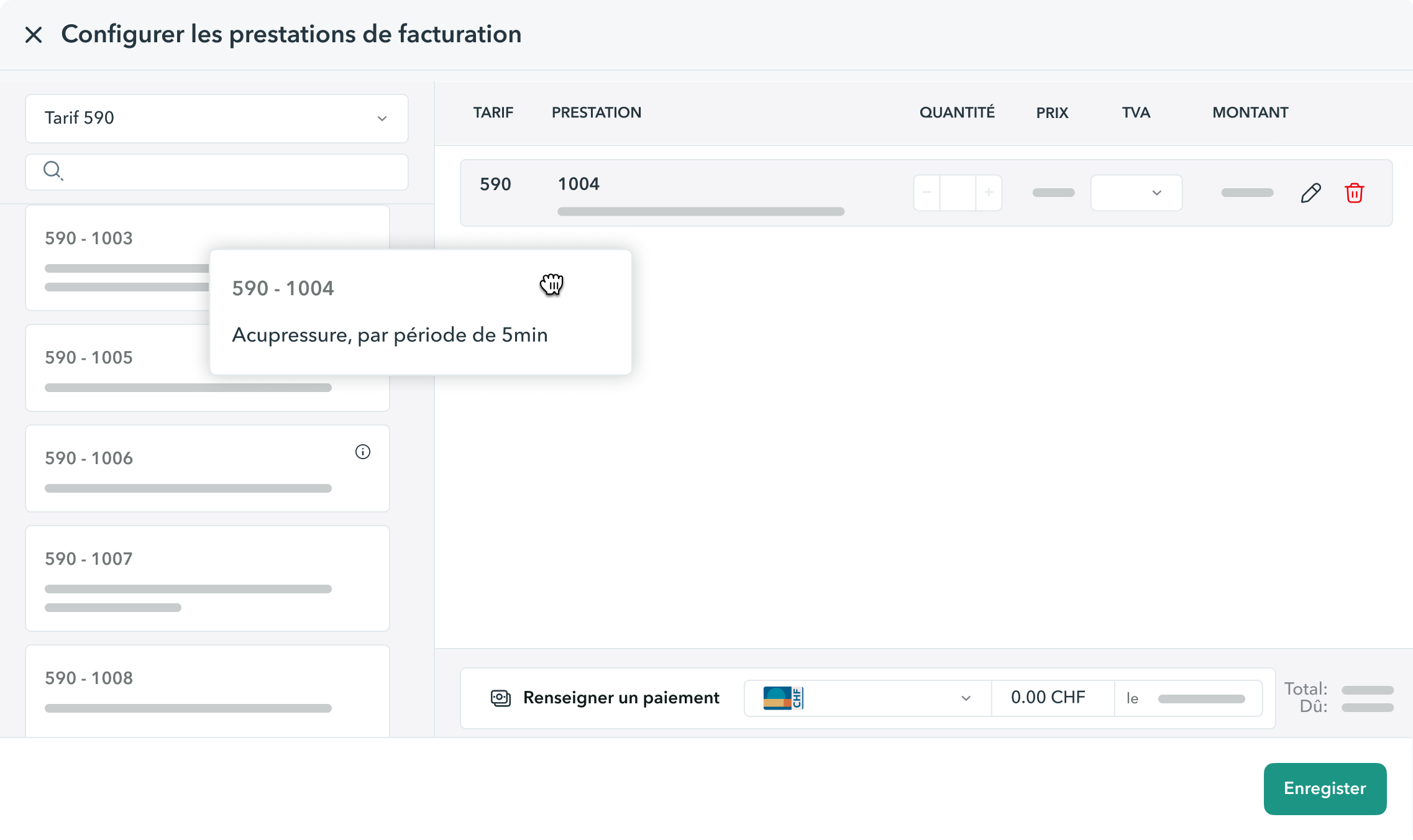
Easily create and manage your bills with the OneDoc Pro Tarif 590 software
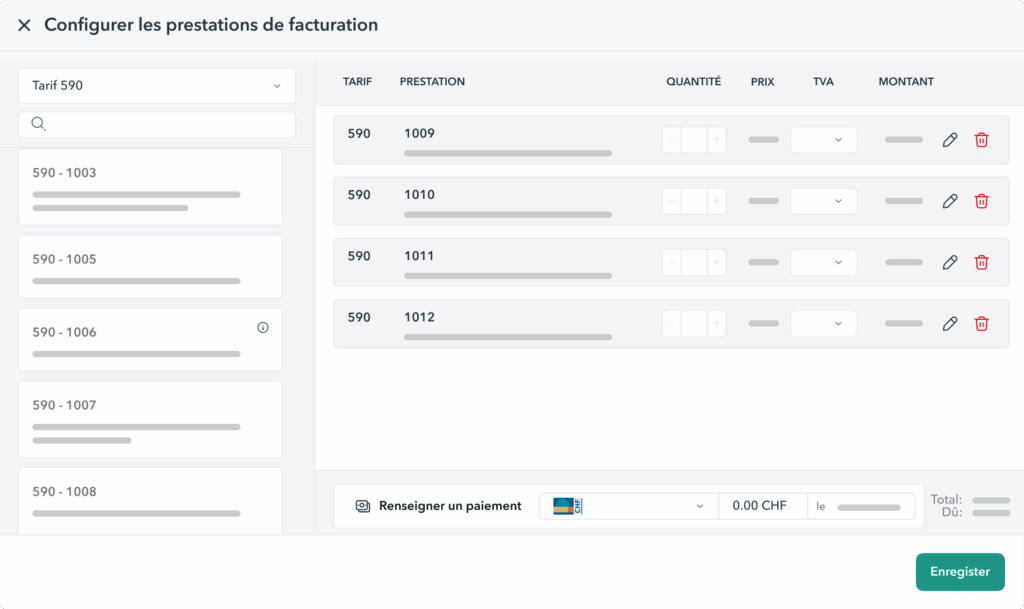
Preconfigure your standard services to save time
Predefine the billing services for each of your consultation reasons. When creating an invoice, the corresponding Tarif 590 codes are already pre-filled: issue invoices in just a few clicks, with no risk of omission or error.
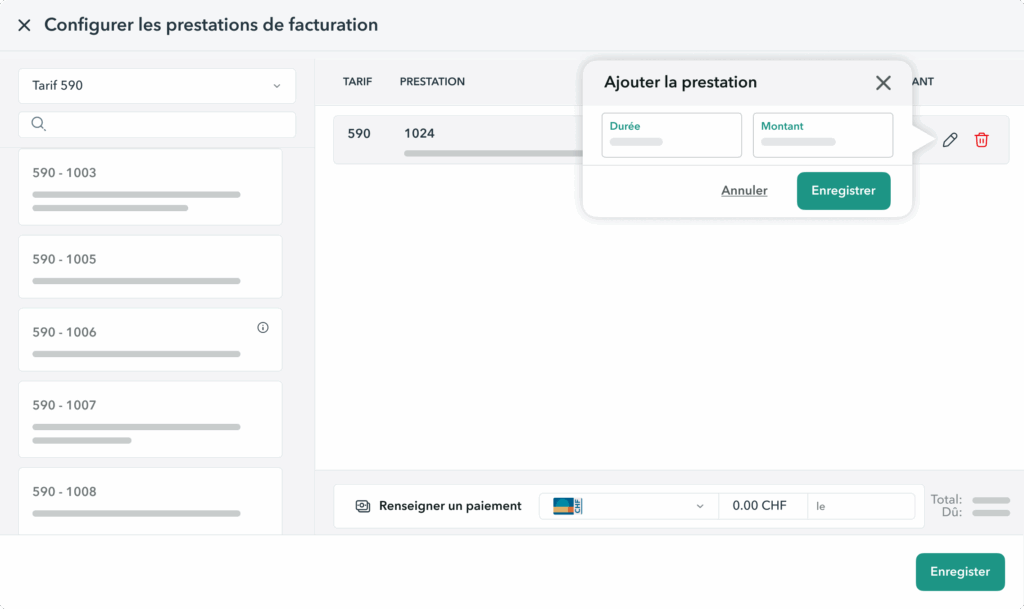
Automate the calculation of the exact amount for your bill
Simply enter the consultation duration and the amount to bill: OneDoc Invoice automatically applies the correct Tarif 590 code, calculated in 5-minute increments. No more tedious calculations when invoicing: your invoices are accurate, quick to prepare, and error-free.
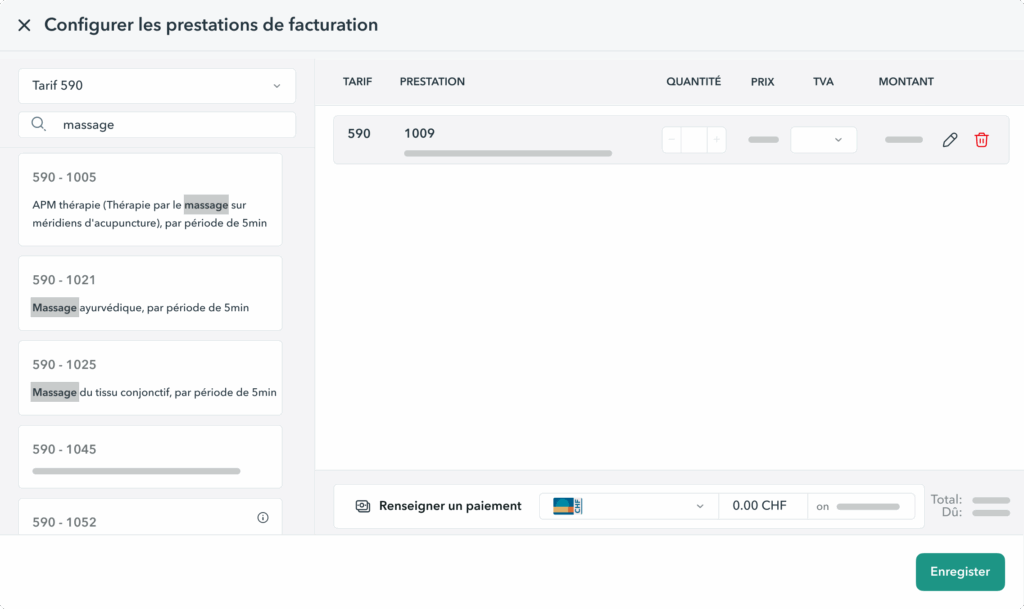
Quickly find the right service to bill
Tarif 590 can be complex. With an intuitive search function, OneDoc Invoice allows you to find the right T590 service by name or code and bill it with ease.
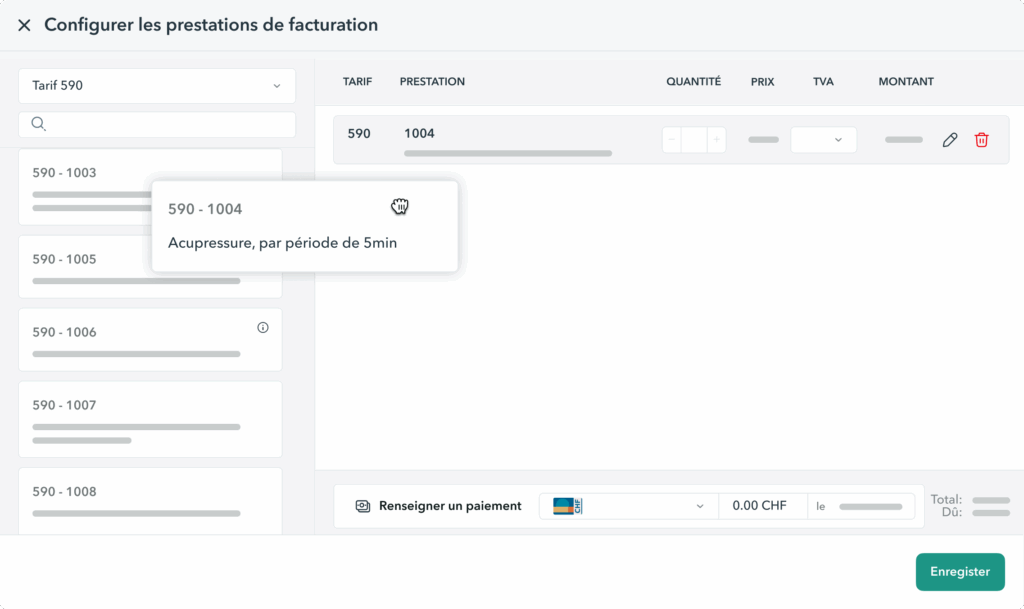
Generate your Tarif 590 invoices with ease
Generate T590 invoices effortlessly directly from OneDoc Invoice. Based on your consultation reason and duration, the corresponding T590 service is selected, and your patients are billed in just a few clicks.
Benefit from free automatic updates to Tarif 590
OneDoc Invoice automatically updates all Tarif 590 codes and services as soon as changes come into effect. This ensures your invoices are always valid and accepted by insurers, without needing to make corrections later.
Bill quickly and easily with the Tarif 590 billing software by OneDoc Pro
Related features
Frequently asked questions on Tarif 590 billing
Should I charge at Tarif 590 as a therapist?
Yes. Tarif 590 is the standard billing system used in Switzerland for services reimbursed by complementary insurance. If you are a therapist recognized by complementary insurance companies, you must use this tariff so that your patients can obtain reimbursement.
What is the purpose of Tarif 590?
The aim of Tarif 590, established by the “Group of Complementary Medicine Insurers” in collaboration with professional organizations in the field, is to:
- Standardize the list of complementary medicine treatments to clearly present the services provided to your patients. This way, all invoices using Tarif 590 follow the same format, making them easier to read for both patients and insurers.
- Enable faster reimbursement by all health insurers through a single, standardized billing form.
How are invoices structured under Tarif 590?
An invoice that complies with Tarif 590 is structured as follows:
- Therapist information (issuer of the invoice)
- Patient information
- Case details (diagnosis, type of treatment, remarks)
- Services billed (positions, quantities, amounts)
- The summary and total amount
As for the services, Tarif 590 includes over 100 billing codes that allow you to accurately specify the treatments provided to patients. You can download the latest list of codes from the SASIS website, request a copy from your registration center, or use software that includes the updated tariff list.
We invite you to read our article on how Tarif 590 invoices are structured to learn more.
How to bill using Tarif 590?
To bill easily using Tarif 590, it’s recommended to use compliant invoicing software, such as OneDoc Invoice. This type of tool automatically applies the correct tariff positions, calculates the invoice amounts, and generates invoices in a format accepted by health insurance providers.
What are the benefits of using OneDoc Invoice to invoice according to Tariff590?
OneDoc Invoice greatly simplifies the creation and sending of invoices at the Tarif 590. You can generate compliant invoices in just a few clicks, without having to perform manual calculations. Standard services can be preconfigured to speed up the billing process, and the system automatically applies the correct tariff positions based on the duration and reason for the consultation. Finally, OneDoc Invoice automatically updates the codes and services of Tarif 590, ensuring that your invoices are always compliant and accepted by insurers.
How can I send Tarif 590 invoices to my patients?
With OneDoc Invoice, you can send your “Tiers Garant” invoices under Tarif 590 directly to your patients via secure email. Your patients then log in using an SMS code and retrieve their invoice through the secure OneDoc patient portal.
Are automatic updates to Tarif 590 included in the OneDoc Invoice subscription?
Yes, automatic updates to Tarif 590 are included in your OneDoc Invoice subscription. As soon as a change to the codes or services comes into effect, the system is automatically updated without any action on your part. This allows you to invoice with complete peace of mind, safe in the knowledge that your invoices comply with the latest insurer requirements.